Google Slides
Google LLC
4.0
Détails de la Version
| Pays de l'Éditeur | US |
| Date de Sortie dans le Pays | 2014-06-25 |
| Catégories | Productivity |
| Pays / Régions | US |
| Site Web du Développeur | Google LLC |
| URL de Support | Google LLC |
| Évaluation du Contenu | Everyone |
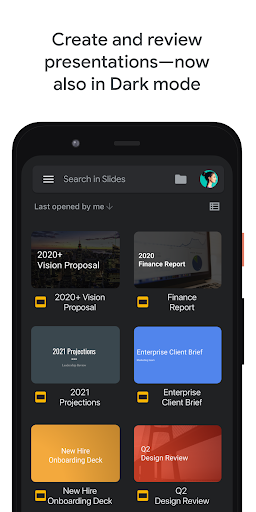
Create, edit, and collaborate on presentations from your Android phone or tablet with the Google Slides app. With Slides, you can:
- Create new presentations or edit existing ones
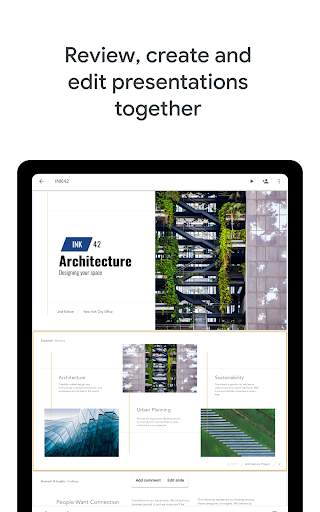
- Share presentations and collaborate in the same presentation at the same time
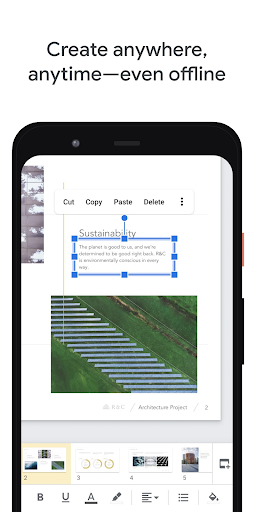
- Work anywhere, anytime - even offline
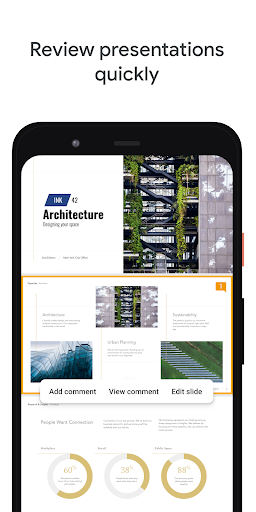
- Add and respond to comments
- Add and rearrange slides, format text and shapes, and more
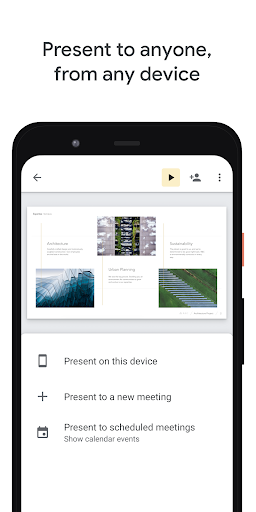
- Present straight from your mobile device
- Never worry about losing your work – everything is saved automatically as you type
- Make beautiful slides, instantly - with smart suggestions
- Present slides to video calls - scheduled meetings will automatically appear
- Open, edit, and save PowerPoint files
Google Slides is part of Google Workspace: where teams of any size can chat, create, and collaborate.
Google Workspace subscribers have access to additional Google Slides features, including:
- Collaborating on a single presentation online with your business partner, your whole team, or external contacts. You control who gets permission to edit, view, or just add comments.
- Starting from scratch or expediting the process by choosing a template. You can enhance your presentations with videos, images, drawings, and smooth transitions.
- Working across PCs, Macs, mobiles, and tablets—View or even present your slides from your phone or tablet, so you always have the option to practice your presentation up until the last minute.
Learn more about Google Workspace: https://workspace.google.com/products/slides/
Follow us for more:
Twitter: https://twitter.com/googleworkspace
Linkedin: https://www.linkedin.com/showcase/googleworkspace
Facebook: https://www.facebook.com/googleworkspace/
Permissions Notice
Calendar: This is used to join video calls from calendar invites.
Camera: This is used for camera mode in video calls and to insert images taken with the camera.
Contacts: This is used to give suggestions of people to add to files and share with.
Microphone: This is used to transmit audio in video calls.
Storage: This is used to insert images and to open files from USB or SD storage.
Évaluation Moyenne
620.56K+
Répartition des Évaluations
Avis Sélectionnés
Par Sky Kid (That_Sky_Kid)
2024-11-19
Version 1.24.442.00.90
DifficultWorks okay on computer but it's so trashy on phone. Idc if it's supposed to be for computers. An app should be made to be usable for all platforms. I can't even choose my desired font size. The size jumps from 24 to 30 and you can't choose in-between. It's also so hard to select items. I'll fiddle around for several minutes just trying to select the text box and then I'll have to deal with even more challenges. It's great on Chromebook though.
Par Strawberry girl
2024-10-26
Version 1.24.422.01.90
BugsDifficultHate itABSOLUTE UNLESS AND HORIBBLE FOR PHONE USERS. Don't waste ur time like me. You can't edit the whole image/slide. It will stay like a little white rectangular in the middle of ur screen and you can't change the size. Then, if you want ur text to be bigger, u are left with almost unreadable/very small letters to fit the slide properly or the bigger text that goes over it. If you want to change the text size, it's also not working properly.I had issues with downloading files, and very hard to edit
Par Matt Davis
2021-01-06
Version 1.20.492.02.44
CameraFeature RequestsLove itI love Google Slides. All of Google's productivity apps are designed to put usability first. There's nothing fancy about Slides; it's just a simple, clean app with all the features you need and everything right where you'd expect it. I appreciate the Google Drive cloud integration too. Being able to access my work from any phone or computer in the world is awesome. Oddly enough; I mostly use Slides as a photo editor for social media. It's surprisingly good at that; lots of customization options.
Captures d'Écran